
Employee Onboarding Automation Access Provisioning Handoff Failure Checklist
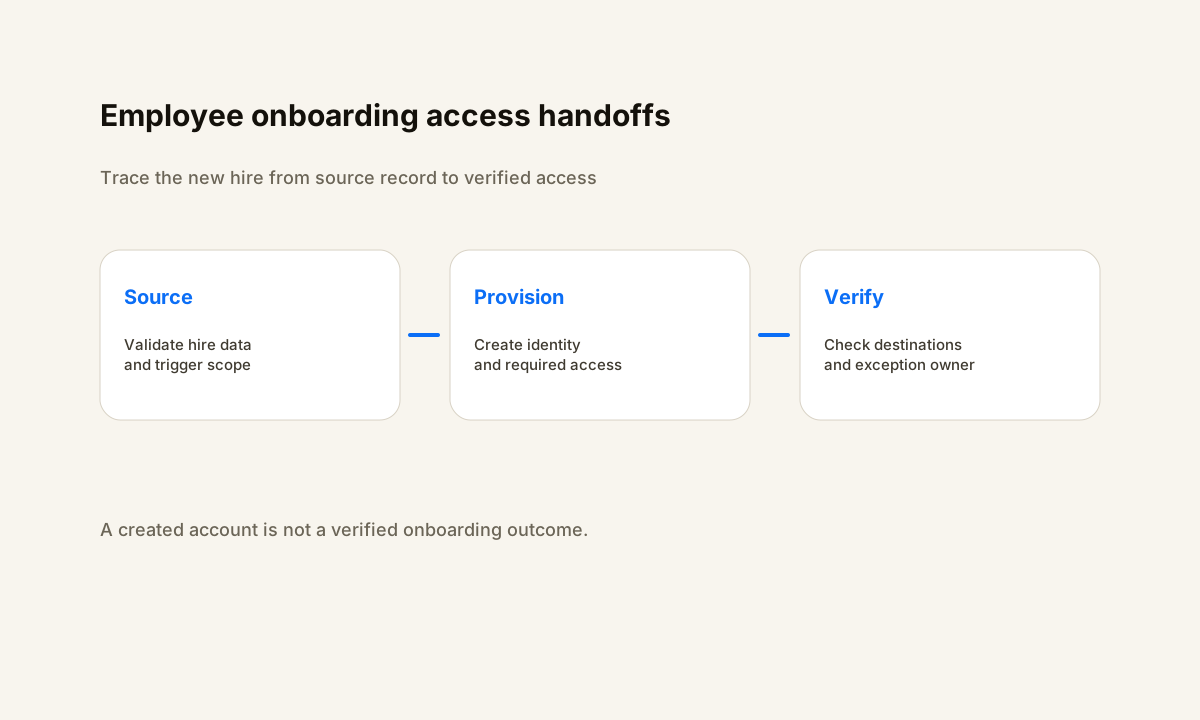
Employee onboarding automation fails when hire data, account access, app assignments, and handoffs do not reach a verified finish state.
TL;DR
- Trace one new-hire record from the HR source through identity creation, required application access, manager tasks, and final verification.
- Define which system owns hire date, department, manager, role, and other fields before those values drive access decisions.
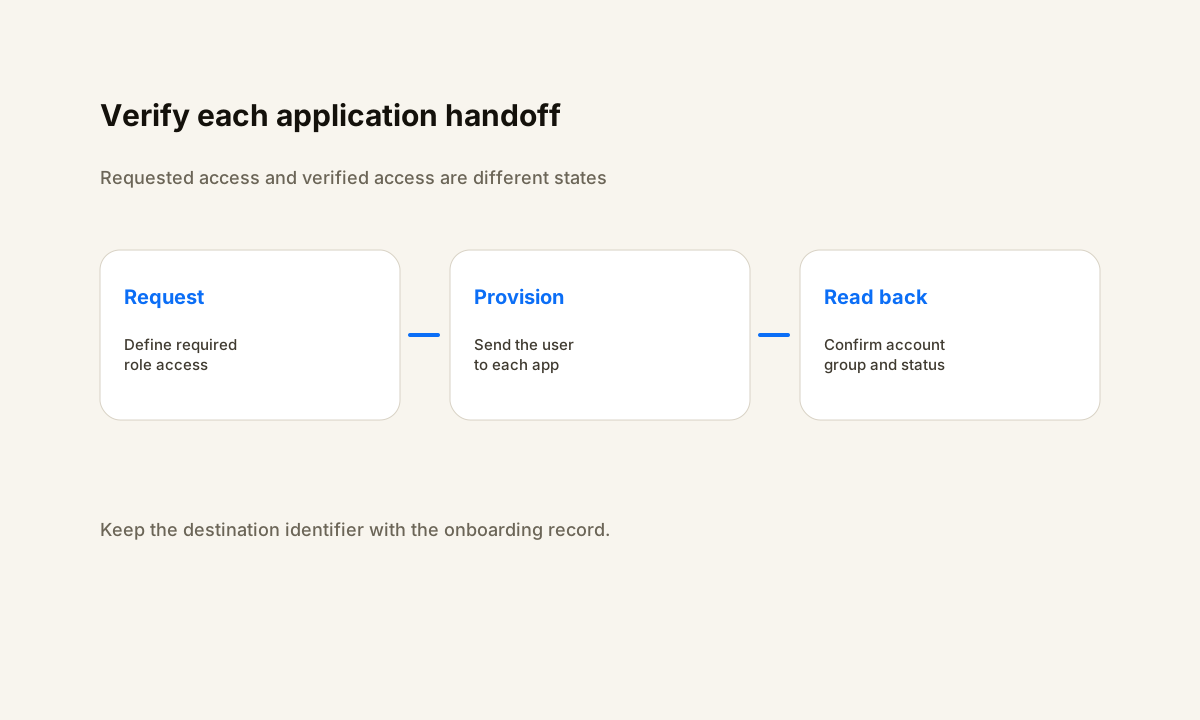
- Treat every downstream application as a handoff with a requested state, a verified state, and a stable destination identifier.
- Route missing data, provisioning errors, and unresolved approvals to a named exception owner instead of letting the workflow appear complete.
Where Employee Onboarding Automation Access Handoffs Fail
Employee onboarding automation access handoff failures are easy to miss because the process spans several systems. HR can show a new hire as ready while identity, email, group membership, application access, manager tasks, or training access is still incomplete. The automation is not finished when one system says “created.
” It is finished when the employee has the right accounts, the right access, a visible owner for anything that failed, and a record showing what completed.
Microsoft describes lifecycle workflows as joiner, mover, and leaver processes built from tasks and execution conditions. For onboarding, the useful design lesson is that a workflow needs both a clear scope for who should be processed and a clear trigger for when each task should run.
Microsoft also emphasizes workflow history and audit logs for troubleshooting. That makes the onboarding path inspectable instead of forcing an administrator to guess which system missed a step.
Before changing production rules, inventory the systems and owners involved. The workflow automation audit checklist gives you a structure for listing triggers, actions, owners, and exceptions.
Failure 1: Hire Data or Trigger Rules Do Not Match
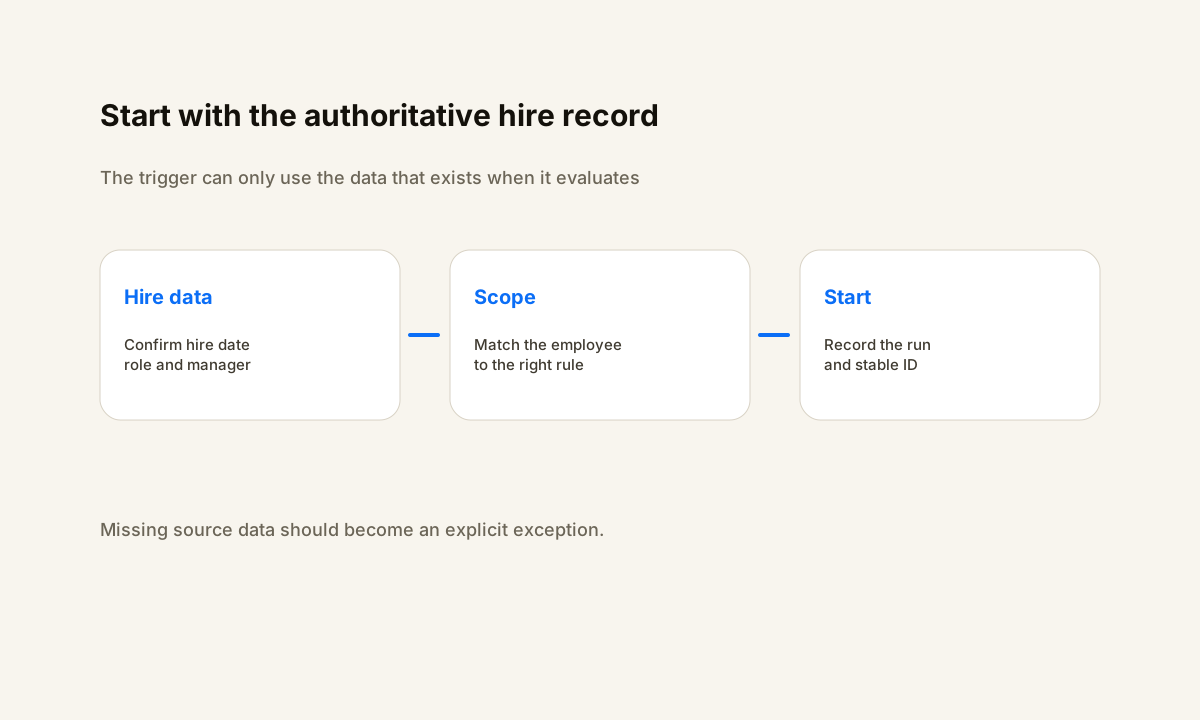
Start with the employee record that should trigger onboarding. Record a stable employee or user identifier, hire date, department, manager, role, location when relevant, and the source system that owns each field. Then capture the time the source event became eligible for automation.
If the workflow never starts, compare the record with the exact trigger and scope rules that existed at that time. A later correction in HR can make the record look valid even though it was invalid when the workflow evaluated it.
Treat required fields as a contract between HR and the onboarding workflow. If department drives group membership, department cannot be an optional free-form value. If manager approval controls access, the manager field needs a valid identity before that branch runs.
If a field is missing, route the employee to an exception state with the missing field named. Do not let an empty branch look like success.
Failure 2: Accounts Exist but Required Application Access Does Not
Account creation is only the first handoff. The employee may also need email, collaboration groups, shared drives, CRM access, ticketing access, line-of-business applications, and role-specific permissions. Okta’s lifecycle management guidance treats onboarding as a provisioning process across Okta and third-party applications.
That is a useful model even when a company uses a different identity platform: every downstream application should have a requested state and a verified state.
Use a small state table for each employee. Useful fields include source_record_id, onboarding_started_at, identity_created_at, required_apps, provisioned_apps, failed_apps, manager_task_status, exception_owner, last_error, and onboarding_verified_at. Do not mark the employee complete because an API request returned success. Read the destination or use the destination’s provisioning status when available.
Record the identifier created in the destination so later checks do not rely on name matching.
If the underlying onboarding design needs a broader rebuild, the employee onboarding automation consultant guide covers how to scope the systems, responsibilities, and implementation boundary.
Failure 3: Role-Based Access Is Incomplete or Too Broad
Access automation should follow role rules that a human can explain. Map role or department to a defined access package, group set, or application list. Avoid copying permissions from another employee because that can preserve access that was never intended for the new role.
Microsoft’s Lifecycle Workflows documentation includes access package assignment among the automated joiner and mover tasks. The broader lesson is to make access policy an input to the workflow rather than an improvised decision inside each onboarding case.
Separate required access from optional access. A new employee may need a core identity, email, and a handful of role-critical systems before work can start, while other applications can wait for a manager request. That separation makes failures easier to triage.
A failed optional app should not hide a failure in the core identity path, and a successful optional app should not make the whole onboarding record appear complete.
Tool selection matters when the access path spans several systems. The employee onboarding automation software comparison provides a separate evaluation lens for teams deciding where the workflow should live.
Failure 4: Retries and Exceptions Have No Owner
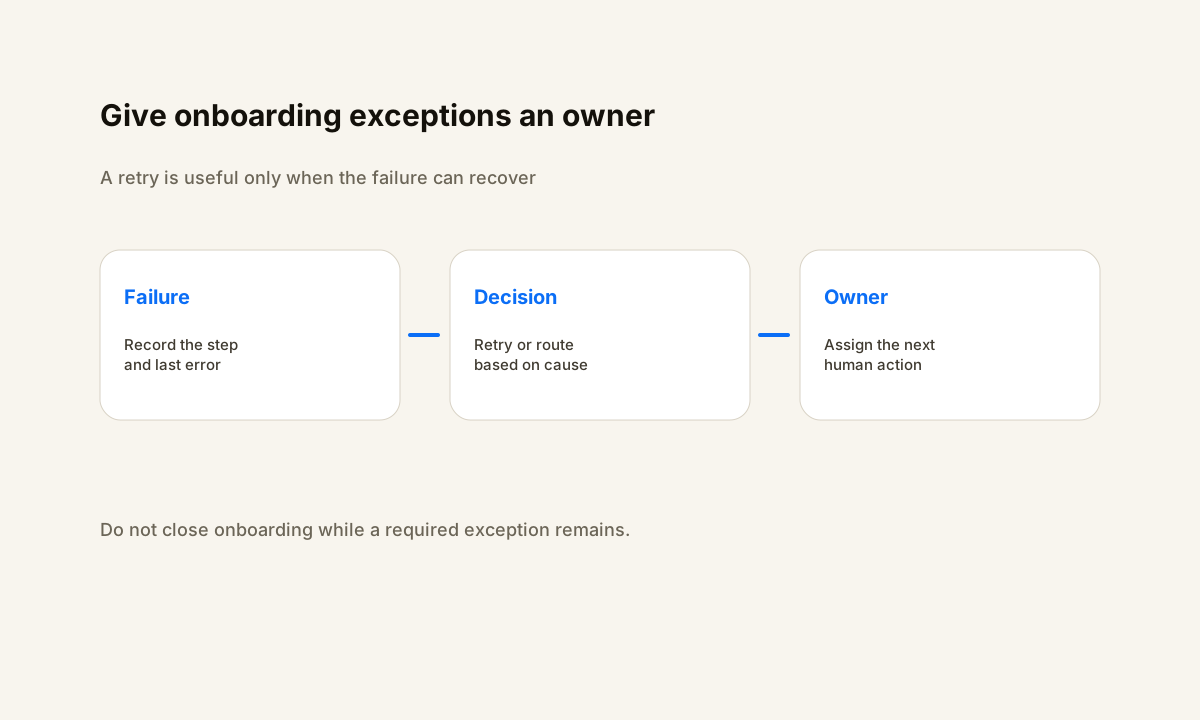
Every automated onboarding path needs an exception owner. A workflow can fail because the source data is incomplete, an account already exists, an application connector rejects a value, a license is unavailable, approval is missing, or the destination is down. Retrying every error without classification can hide a permanent problem.
Record the failed step and last error, retry only conditions that can recover, and route the remaining exception to a named person or queue.
Microsoft’s onboarding tutorial tells operators to inspect workflow history, task status, failed tasks, and unprocessed tasks before enabling the recurring schedule. That pattern is worth keeping in production.
Test with a controlled employee record, inspect each task, confirm the intended access, and prove the exception path before expanding the workflow to more roles. A test should include at least one expected success and one controlled failure so the team knows what a broken run looks like.
Employee Onboarding Automation Verification Checklist
A clean handoff also tells the manager what remains. If the manager must choose optional applications, approve equipment, or confirm role-specific access, create one visible task with the employee, due state, and exact decision needed. Do not scatter the remaining work across chat messages and inbox reminders.
The workflow should be able to answer three questions at any point: what has finished, what is blocked, and who owns the next action.
- Can you identify the authoritative employee record and the time it became eligible for onboarding?
- Do required hire, department, role, and manager fields exist before access decisions run?
- Can you verify the identity and each required application in its destination system?
- Does every access request have a stable employee or destination identifier?
- Are required applications separated from optional or manager-approved applications?
- Does every failed provisioning step record an error and a named exception owner?
- Can the manager see any decision or task that still blocks onboarding?
- Is onboarding marked complete only after required access and exceptions are verified?
Run a final verification before marking onboarding complete. Confirm the identity exists, required applications show the expected user, core groups or access packages match policy, the manager task is resolved, and no unresolved failure remains. Keep the verification timestamp and the identifiers used for the checks.
That creates a usable audit trail and gives support a starting point if the employee reports missing access later.
The HWA automation process uses the same principle: define the intended state, test the handoffs, and verify the result before treating the workflow as complete.
Sources
Frequently Asked Questions
What causes employee onboarding automation to fail?
Common causes include missing hire data, trigger or scope rules that do not match the employee, duplicate identities, invalid group or application mappings, connector errors, missing approvals, and handoffs that are never verified in the destination system.
What should trigger an employee onboarding workflow?
Use an authoritative employee event and the fields needed to define scope, such as hire date, employment status, department, role, or manager. The exact trigger depends on the source system, but the workflow should be able to prove when the record became eligible and which rule matched.
How should onboarding automation handle failed app provisioning?
Record the application, destination identifier when one exists, last error, retry state, and exception owner. Retry only failures that can recover. If the failure needs data correction, approval, licensing, or manual work, route it to the person or queue responsible for that condition.
How do you verify employee onboarding automation worked?
Check the destination systems, not only the workflow run. Confirm the identity exists, required applications and groups match the role policy, manager-owned tasks are resolved, and no required exception remains. Store a verification timestamp and the identifiers used for the checks.
Should onboarding automation grant every application on the first day?
No. Separate core access needed to start work from optional or manager-approved applications. This makes the workflow easier to audit and keeps a failure in an optional tool from obscuring a missing core account or permission.
Related Resources
Need to find the broken onboarding handoff?
Help With Automation can map the current onboarding path, isolate the failure point, and define a testable repair without replacing every tool in your stack.