
Workflow Automation
Zapier vs Make for Sales Process Automation in SMBs

Comparing Zapier vs Make for sales process automation in SMBs comes down to how your sales process actually runs. Both platforms connect the same kinds of tools: web forms, calendars, CRMs, and messaging apps. Both move leads from first contact to booked meeting to closed deal without staff copy-pasting data between systems.
They take different approaches. Zapier builds linear workflows called Zaps: one trigger starts a sequence of actions. Make builds visual scenarios on a drag-and-drop canvas, where routers split one path into several branches. For the broader view of what automation can do across your operations, see our business workflow automation services.
TL;DR
- Zapier suits straightforward sales workflows: one trigger, then a linear sequence of actions. Easiest setup for non-technical staff.
- Make suits sales processes with branches and conditions: the visual canvas shows every route, with a steeper learning curve.
- Zapier charges per task (each successful action step); Make charges per credit (each module action). Make's free tier is larger.
- Match the tool to the process: simple handoffs go to Zapier, multi-branch qualification and routing go to Make.
Zapier vs Make for sales process automation in SMBs: the short answer
The rest of this comparison walks through how each platform works, what each costs at real sales volumes, and the decision method we use with clients. If you are also weighing a third option, our Zapier vs n8n comparison for local businesses and our n8n vs Make guide for business workflows extend the same decision to n8n.
How Zapier handles sales workflows
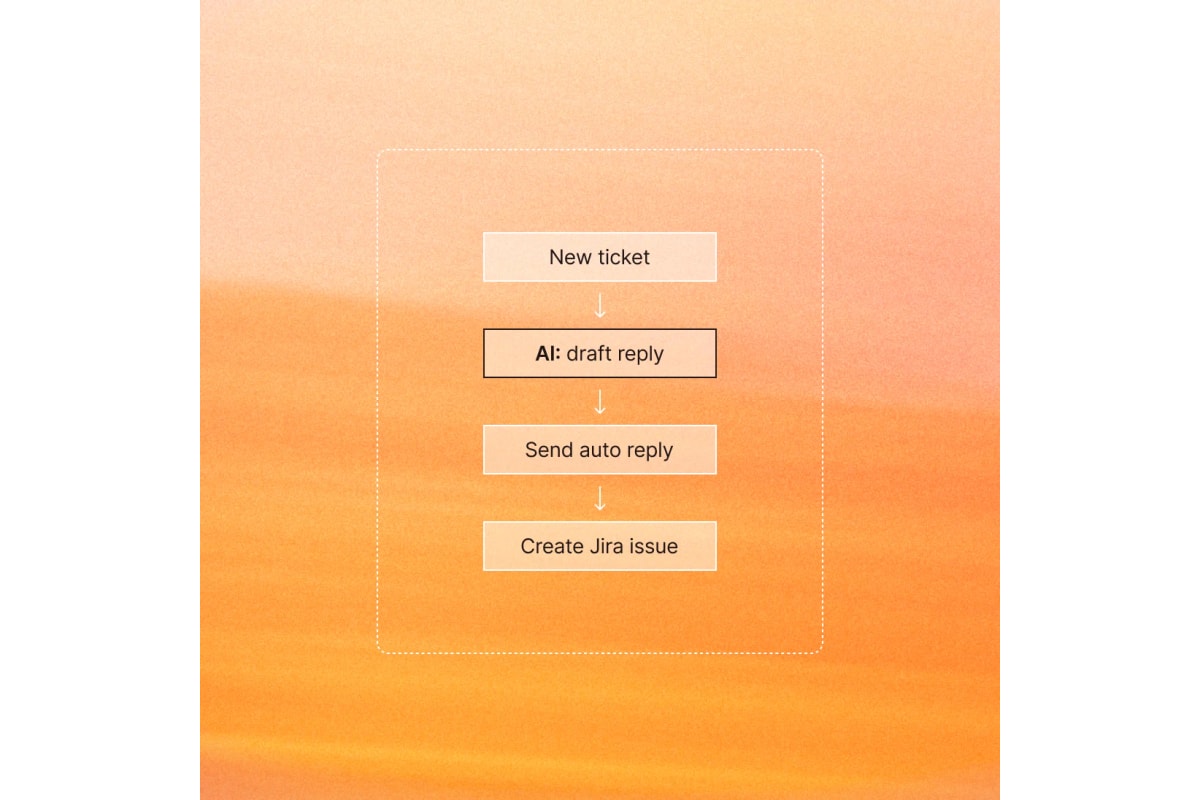
A Zap starts with one trigger, such as a new form submission or a new lead row, and then runs actions in order: create the CRM contact, assign an owner, send the welcome message, and create a follow-up task. Zapier's official product page presents this same linear sequence: a trigger fires, and each step follows the one before it.
Zapier prices by task. A task is counted when a Zap successfully completes an action step; triggers do not count. The free plan includes 100 tasks per month with two-step Zaps. Paid plans start with Professional from $19.99 per month. When a plan's task limit is reached, workflows pause until the next usage period unless pay-per-task billing is turned on.
How Make handles sales workflows
A Make scenario is built on a visual canvas. Each module is a step: watch new leads, create the CRM record, route hot leads to a call task and cold leads to nurture. Routers split one path into branches, and filters pick which records take which branch. Every record's path stays visible, which makes complex sales logic easier to inspect.
Make prices by credit. Each module action in a scenario counts as one credit. The free plan includes 1,000 credits per month, the visual builder, 3,000+ apps, and routers with filters. Core starts at $12 per month for 10,000 credits and adds unlimited active scenarios with one-minute scheduling intervals.

Zapier vs Make: side-by-side comparison
| Criteria | Zapier | Make |
|---|---|---|
| Pricing model | Per task: every successful action step counts | Per credit: each module action counts |
| Free tier | 100 tasks per month, two-step Zaps | 1,000 credits per month, visual builder included |
| Workflow model | Linear: one trigger, then actions in order | Visual canvas: modules, routers, branches |
| Learning curve | Lower: simple for non-technical staff | Medium: branching takes study |
| App integrations | Broad catalog of app integrations | 3,000+ standard apps plus custom apps |
| Run visibility | Task history with replay on paid plans | Real-time monitoring on the canvas |
| Best for | Straightforward sales handoffs | Multi-branch qualification and routing |
Both platforms connect the CRMs, forms, calendars, and messaging tools that sales teams use every day. The practical difference is workflow shape: Zapier keeps branching logic out of the builder, while Make puts it on the canvas where it can be seen and adjusted.
What the pricing means for a sales team
Map plans to your real volume. Say each new lead triggers four actions: create the CRM record, assign an owner, send the first message, and create a follow-up task. That is four tasks or credits per lead.
At 100 leads a month, the example uses about 400 units. That fits inside Make's free tier but exceeds Zapier's 100 free tasks, which puts Zapier on Professional from $19.99 per month.
Run this same math with your numbers before choosing. Count leads, follow-ups, status changes, and notifications per month, then price both platforms at that volume. The cheaper platform at your volume wins on cost; the workflow fit decides the rest.

Error handling and ongoing maintenance
Automation breaks when apps change fields, APIs, or permissions. Zapier's paid plans include autoreplay for failed runs and version history on Zaps. Make shows scenario executions on the visual canvas with full-text execution log search, so a failed branch can be inspected where it ran.
Assign an owner either way. Someone should review failed runs weekly, fix broken field mappings, and retire workflows that no longer match the sales process. For the failure patterns to watch, see our guide to fixing slow or failing Zapier workflows.
The HWA five-step comparison method
At Help With Automation, we compare automation platforms with a five-step method: map the sales process from trigger to close, count monthly volume, identify the two hardest steps (usually branches and data transforms), price both platforms at that volume, and pilot the winner on the live process for two weeks. This is an HWA decision framework, not an industry standard.
Start without committing: our free workflow audit tool shows where your sales hours and leads are going, whether or not you hire us to fix it.
Frequently asked questions
Is Make better than Zapier for sales automation?
Neither is universally better. Make usually wins when the sales process has branches, conditions, and data transforms, and it often costs less at higher volumes. Zapier usually wins for straightforward sales handoffs that non-technical staff must build and maintain quickly. Match the tool to the process shape, not the brand.
Can I use Make for free?
Yes. Make's free plan includes 1,000 credits per month with the no-code visual workflow builder, 3,000+ apps, and routers with filters. Scenarios on the free plan run at most every 15 minutes. It is a working plan for light sales automation, not just a trial.
Is Zapier worth the price for a small sales team?
It depends on volume and who builds. Zapier's free plan covers 100 tasks per month with two-step Zaps, and Professional starts from $19.99 per month. It is worth it when non-technical staff build and fast setup matters more than per-unit cost. At high volumes, compare per-unit pricing against Make first.
How do Zapier tasks and Make credits differ?
On Zapier, a task is counted when a Zap successfully completes an action step; triggers are free. On Make, each module action inside a scenario counts as one credit. Both meter real usage, so count your monthly actions on each platform's pricing page before comparing headline prices.
Which is easier to set up for sales workflows?
Zapier is easier for simple sales workflows: pick a trigger, add actions, and turn it on. Make's canvas takes longer to learn because branching, routers, and data shaping are explicit. The learning pays off when the sales process itself is complex, since the full logic stays visible in one place.
Sources
Platform pricing, plan limits, and workflow models in this comparison were checked against live sources on 2026-10-03. Editorial method: every claim above is confirmed by at least one source below; anything no source could confirm was left out.
Each guide is written from hands-on automation implementation work with service businesses. We verify setup and tool claims against live sources, and update guides when the market moves.