
Workflow Automation Services Near Me: Practical Setup Guide
Finding local workflow automation services helps small businesses in Lynchburg, VA, streamline operations, improve lead response, and automate routine tasks.

TL;DR
- Workflow automation services connect your existing tools to handle repetitive tasks like lead follow-up and client intake.
- An automation partner defines the workflow, builds the system using tools such as GoHighLevel or Zapier, and creates exception paths for unexpected events.
- Look for partners who offer clear scope, transparent engagement models, and a focus on measurable outcomes like faster response times or higher booking rates.
- Evaluating between in-house automation efforts, a fractional consultant, or an agency depends on your team's expertise and project complexity.
- Help With Automation helps local businesses in Virginia and beyond implement custom automation that frees up your team and improves client experience.

1. Streamlining Operations with Workflow Automation Services
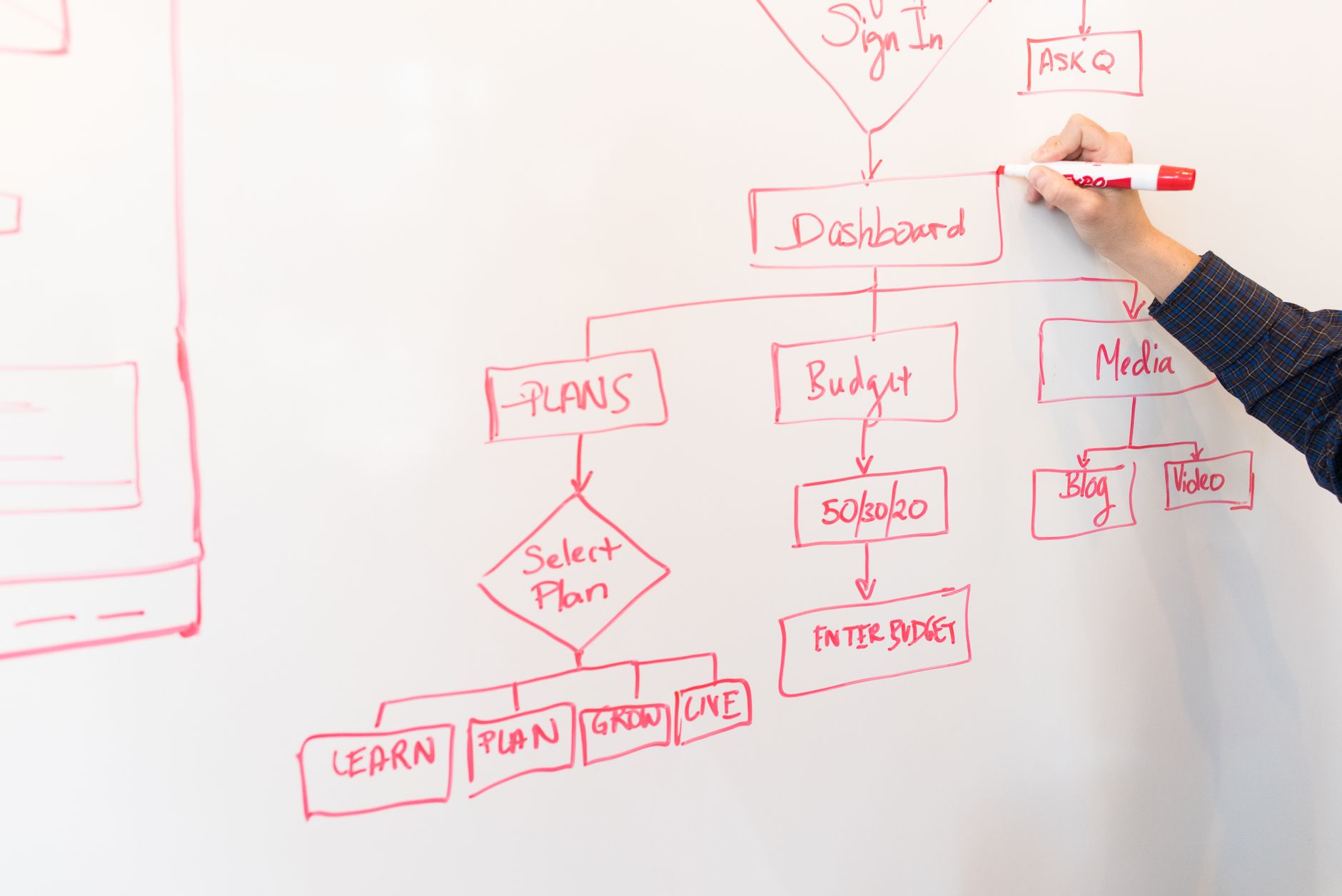
Workflow automation services connect your business systems to handle repetitive tasks without manual effort. This means moving information between your CRM, scheduling software, communication tools, and internal dashboards automatically. The goal is to make your existing processes more efficient and reliable.
Local businesses in Lynchburg, VA often deal with high volumes of leads, customer inquiries, and routine administrative work. Manual handling of these tasks can lead to delays, errors, and lost opportunities. Automation helps you serve more clients and respond faster, even with a small team.
Help With Automation focuses on operational workflows that impact your bottom line, such as lead capture and follow-up, client intake, and internal reporting. We identify bottlenecks and design systems to keep your team focused on growth, not administrative chores.
2. Prioritizing Automation: Where to Start
The first step in any automation project is to identify the workflows that offer the biggest return for your business. Look for tasks that are repetitive, time-consuming, prone to human error, and occur frequently. These are prime candidates for automation.
Common areas ripe for early automation include lead response, client onboarding, and appointment booking. For example, a real estate team often benefits from automated speed-to-lead workflows that immediately engage new inquiries. A dental practice can automate no-show reduction through text and email reminders.
Help With Automation starts with a discovery audit to map your current processes. We ask about your lead sources, how you qualify clients, your current follow-up sequences, and where your team spends too much time. This helps us prioritize the highest-impact automations.
- Lead Response: Automate immediate SMS and email follow-up for new inquiries to improve booking rates.
- Client Intake: Streamline form collection, document signing, and initial scheduling for new clients.
- Reporting: Automatically pull data from different systems into a single dashboard for daily or weekly review.
- Internal Handoffs: Ensure smooth transitions between sales, operations, and support teams when a task completes.
3. How Help With Automation Delivers Custom Workflows
Our implementation process begins with a deep dive into your existing operations. We define the trigger events that start a workflow and the desired outcomes. This detailed planning ensures the automation serves your specific business needs, not just generic functions.
We use a range of industry-standard tools like GoHighLevel, Zapier, Make, and HubSpot to build custom workflows. For example, we might integrate a Facebook Lead Ad with GoHighLevel to send an instant SMS follow-up, then use Zapier to add the lead to a Google Sheet for reporting.
A critical part of our work is designing exception paths. What happens if a lead replies "STOP"? What if an API connection fails? We build in safeguards and alerts so unexpected events do not break your entire process. A human handoff is defined for specific scenarios where personalized attention is necessary.
We involve your team throughout the process, from initial design to final testing and training. This ensures your staff understands how the new systems work and feels confident using them. Our goal is to empower your operations, not replace your people.
4. Choosing the Right Workflow Automation Partner
When considering workflow automation, businesses often weigh three main options: building in-house, hiring a fractional consultant, or partnering with an agency like Help With Automation. Each approach has different implications for speed, cost, and long-term support.
Building automation in-house works if you have dedicated staff with specific automation skills and enough time to commit. This path requires a strong understanding of your internal systems, API integrations, and ongoing maintenance. The benefit is full control, but the upfront learning curve and time commitment can be substantial.
A fractional automation consultant provides specialized expertise on a part-time basis. This option suits businesses with well-defined, smaller projects or those needing guidance on specific tools. They offer focused support without the overhead of a full-time hire.
An automation agency provides a full spectrum of services, from strategic planning and workflow design to implementation, testing, and ongoing maintenance. Help With Automation offers comprehensive project management and a team of experts across various platforms, which speeds up delivery and handles complex integrations. We also offer internal links to our fractional automation consultant article to help businesses decide.
5. What to Expect from an Automation Engagement
A typical engagement with Help With Automation begins with a detailed discovery phase, lasting one to two weeks. During this time, we map your current workflows and identify specific automation opportunities. This results in a clear project plan detailing the automations, tools, and measurable outcomes.
Implementation timelines vary based on complexity, but many core workflows (like lead follow-up or client intake) can be deployed within 4-6 weeks of the planning phase. Our deliverables include fully functional automated workflows, custom dashboards for tracking key metrics (like response time or booking rate), and complete documentation for your team.
Our engagement models are project-based, with clear milestones and transparent pricing. We define the scope upfront, so you know exactly what to expect. For ongoing support or new projects, we offer retainer options. We prioritize clear communication, ensuring you always know the status of your automation projects.
6. Ensuring Success and Managing Risks in Automation
Measuring the success of your automation projects requires clear metrics defined at the outset. For lead response, you might track speed to lead, booking rates, or conversion rates from first contact to booked appointment. For client intake, you could measure time saved per client or reduction in manual data entry errors.
Risk factors include scope creep, unexpected system incompatibilities, and a lack of user adoption. We mitigate these risks by maintaining strict project scope, thoroughly vetting integrations, and providing comprehensive training for your team. We also build in monitoring to detect issues early.
A healthy first 30 days looks like initial workflows deployed and running, with your team getting comfortable. By 60 days, you see early data on improved efficiency. At 90 days, the automation becomes a seamless part of your operations, with clear metrics showing its impact.
7. Local Workflow Automation Services with a National Reach
As an automation agency based in Lynchburg, Virginia, Help With Automation understands the unique needs of local businesses, from small service providers to growing agencies. We offer personalized attention and deep operational expertise to clients both here in Virginia and across the country.
Whether you operate an HVAC company, a real estate firm, a dental practice, or a marketing agency, custom workflow automation can transform your daily operations. We focus on building systems that reduce manual effort and free up your team to focus on serving your clients.
Ready to explore how workflow automation can help your business? We invite you to begin with our automation audit. This helps us understand your specific challenges and identify the most impactful opportunities for your business.
Related Automation Resources
We invite you to begin with our automation audit.
contact usSpeak with our team to explore options for your business.
business automation servicesYou can learn more about how business automation services can prevent lost leads.
fractional automation consultantWe also offer internal links to our fractional automation consultant article to help businesses decide.
build a lead response workflowFor example, we often help clients build a lead response workflow that engages new inquiries in under 60 seconds.
automated client intakeAutomating your client intake process can qualify agency leads more efficiently.
FAQ
What are examples of workflow automation for local businesses?
Local businesses use workflow automation for lead response, sending an immediate SMS to new inquiries. They also automate client intake by collecting forms and scheduling first appointments, and manage follow-up sequences for missed calls or unconfirmed bookings. Many automate daily reporting, compiling sales or service data into a central dashboard.
How does an automation agency charge for its services?
Automation agencies typically charge based on the project scope, complexity, and tools required. Some offer project-based fees for defined deliverables, while others use retainer models for ongoing support or a series of smaller projects. Help With Automation provides clear, upfront project pricing after an initial discovery phase to ensure transparency.
What is the best workflow automation software?
The "best" workflow automation software depends on your specific needs, existing systems, and budget. Popular choices include GoHighLevel for all-in-one CRM and marketing, Zapier for connecting various apps with simple triggers, Make (formerly Integromat) for more complex multi-step automations, and HubSpot for sales and marketing suites. Help With Automation selects the right tool stack for your unique workflows.
What should be automated first in a small business?
For a small business, prioritize automating repetitive, high-volume tasks that cause bottlenecks or errors. Lead response (immediate follow-up), client intake (onboarding forms, welcome emails), and appointment reminders (reducing no-shows) are often the highest-impact areas to automate first. These directly affect revenue and customer experience.
How do we measure whether workflow automation is working?
You measure automation effectiveness by tracking key performance indicators (KPIs) relevant to the automated workflow. For lead response, this means monitoring speed to lead, booking rates, and conversion rates. For client intake, you track time saved per client or the reduction in manual errors. Consistent reporting helps identify areas for improvement and confirm ROI.
How long does it take to implement workflow automation?
Simple connections between two apps can go live in a day or two. A focused engagement covering one revenue path, such as lead follow-up, typically deploys core workflows within 4 to 6 weeks. Larger multi-department systems take longer, but you see the first working workflow before the full system is done.
How much does workflow automation cost for a small business?
Tool subscriptions for a small business vary with workflow volume and features: simple setups sit at the low end, while businesses running many production workflows sit higher. Done-for-you implementation is project-based on top of that. As an illustrative example, businesses often see positive ROI once the first workflow targets a revenue leak like missed follow-up.
Will workflow automation replace my team?
No. Workflow automation takes over repetitive tasks such as data entry, follow-up, and scheduling, so your team spends time on work that needs human judgment: closing sales, solving problems, and building relationships. Businesses usually find automation improves job satisfaction because the boring work disappears.
What are common failure modes in workflow automation and how are they handled?
Common failure modes include API connection breaks, invalid data inputs, unhandled "STOP" replies in SMS sequences, and system outages. Help With Automation builds exception paths for these. This means setting up alerts for failed tasks, routing specific responses to human review, and designing fallback steps to ensure critical processes continue, even if automated steps hit an issue.
Want this mapped to your business?
HWA can audit the manual work behind your sales, ops, and customer follow-up systems, then turn the best opportunities into working automation.