
Best Practices for CRM Automation Workflow Design
Effective CRM automation workflow design requires clear goals, defined triggers, and meticulous testing.

TL;DR
- Define clear goals before building any CRM automation. Understand what problem each workflow solves and what outcome it aims to achieve.
- Design workflows around your customer's journey, identifying specific triggers, actions, and critical human handoffs at each stage.
- Build robust exception paths to handle unexpected scenarios or failures, ensuring leads do not fall through the cracks.
- Maintain clean data. Your automation performs only as well as the data it uses.
- Test every workflow thoroughly before launch and continuously monitor performance against your defined metrics.

1. Best Practices for CRM Automation Workflow Design: Start with a Clear Purpose
Effective CRM automation workflow design begins with a clear purpose. Without specific, measurable goals, your automated processes might run, but they will not deliver tangible results. Start by identifying the operational pain points you want to solve or the strategic outcomes you aim to achieve.
Consider areas like lead response time, missed follow-ups, or manual data entry that slows your team. For example, a common goal is reducing the time it takes for a new web lead to receive a personal call or SMS. Another goal might be ensuring every new client receives an onboarding email sequence.
2. Map the Customer Journey
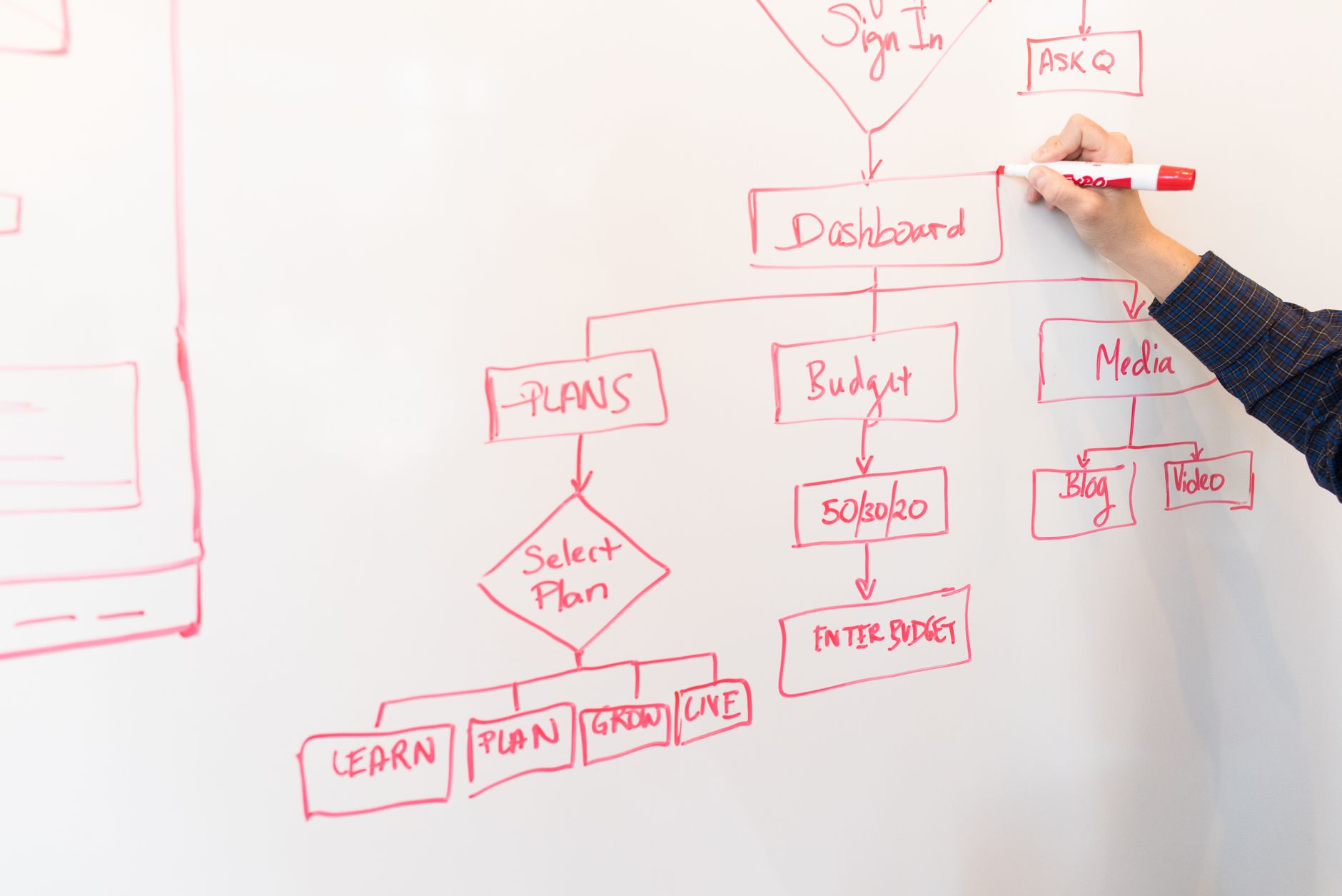
Successful CRM automation aligns with your customer's actual journey. Before designing any workflow, map out each touchpoint a lead or client experiences, from initial inquiry to post-service follow-up. This process helps you pinpoint where automation adds value and where human interaction remains critical.
Think about key stages: awareness, consideration, decision, and retention. For each stage, identify the lead's actions, your desired responses, and the information exchanged. This mapping reveals opportunities for automated touches that feel personal and timely, rather than generic.
3. Build Robust Triggers and Actions with Exception Paths
The core of any automation is its trigger-action sequence. A trigger is a specific event that starts the workflow, like a new form submission or a deal stage change. An action is the automated step that follows, such as sending an email or creating a task.
Design your triggers to be precise and unambiguous. Avoid vague conditions that could lead to unintended outcomes. Pair each trigger with a relevant, value-driven action. For instance, a new web form submission (trigger) could automatically send a personalized SMS (action) within seconds. This immediate response significantly improves lead engagement.
At Help With Automation, we use tools like HubSpot and GoHighLevel to set these up.
Crucially, plan for exception paths. What happens if an email bounces? What if a lead doesn't respond to the first follow-up? These 'what if' scenarios require alternative routes in your workflow. An exception path ensures that no lead is lost due to an unforeseen event.
For example, if an automated SMS gets no reply after 5 minutes, an internal notification can alert a sales agent for a manual follow-up. This prevents leads from stalling in the pipeline.
Rewriting long, confusing sentences into shorter, clear steps like this makes workflows easier to understand and manage.
4. Integrate Data and Maintain Hygiene
Your CRM automation relies on accurate, integrated data. Disparate systems or poor data quality undermine even the best-designed workflows. Ensure your CRM connects seamlessly with other essential tools, like your website, marketing platforms, and scheduling software.
Regular data hygiene practices are fundamental. Duplicate records, incomplete profiles, or outdated information can cause automations to misfire or target the wrong people. Implement automated data enrichment or deduplication processes where possible. Train your team on consistent data entry standards. Clean data ensures your automations run smoothly and deliver relevant communications.
5. Plan for Human Handoffs
Automation aims to streamline, not eliminate, human interaction. Identify strategic points in your workflows where a human handoff provides essential value. These are often moments requiring empathy, complex problem-solving, or personalized relationship building.
For example, an automated lead nurturing sequence can qualify a prospect, but a human sales agent handles the actual closing call. Design the handoff to be smooth and information-rich. The automation should provide the human with all necessary context about the lead's journey and interactions. This ensures the human interaction is efficient and impactful.
6. Measure, Test, and Iterate
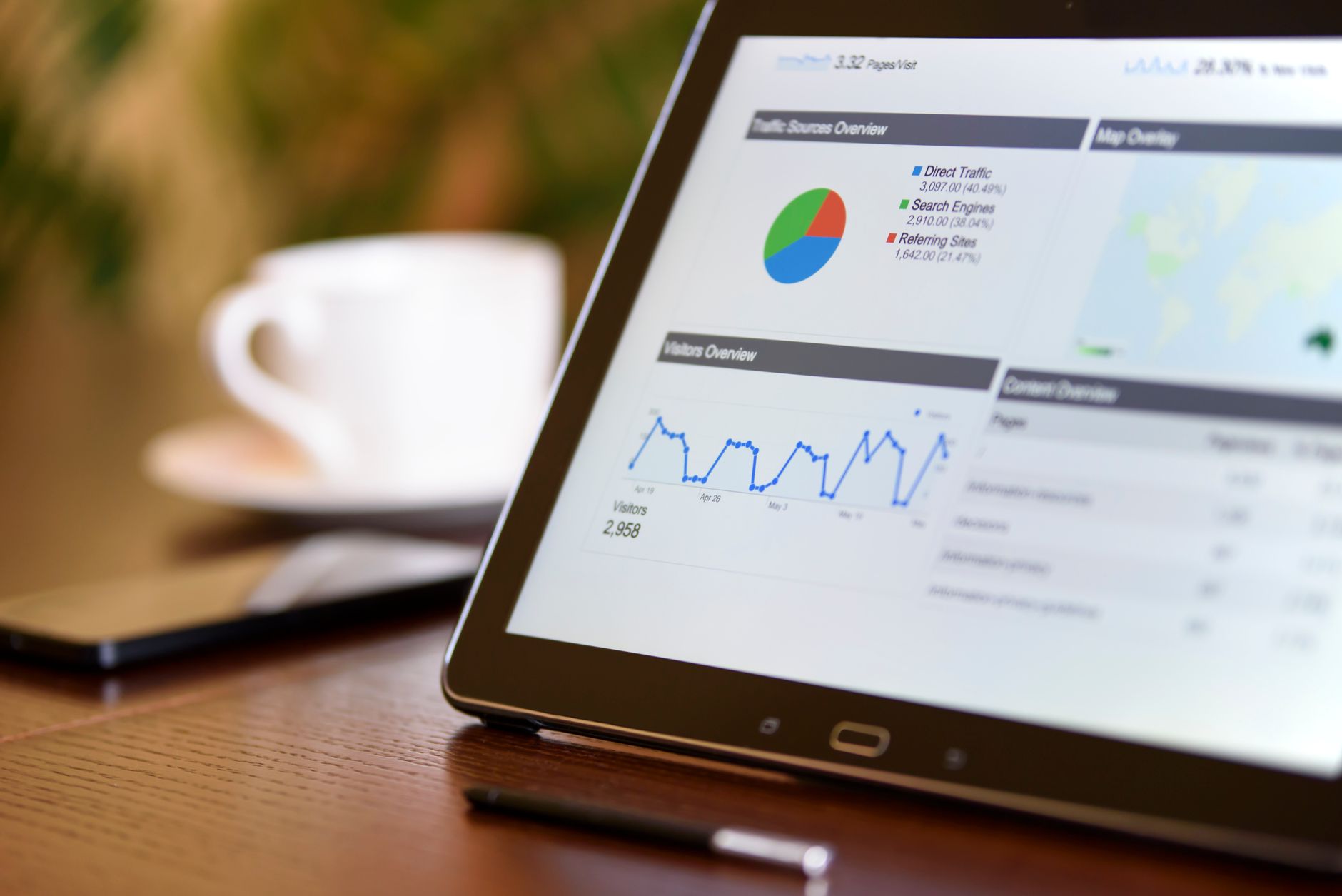
A well-designed CRM automation workflow is never truly 'finished.' Continuous measurement, testing, and iteration are essential for ongoing success. Define key performance indicators (KPIs) for each workflow, such as lead response time, booking rate, or client retention percentages.
Before deploying any new automation, test it thoroughly. Run scenarios covering main paths and all exception paths. After launch, monitor your KPIs closely. If a workflow is underperforming, analyze the data to identify bottlenecks or misfires.
Perhaps a particular email has a low open rate, or a delay step is too long. Use this feedback to refine and optimize your workflows. Our team at HWA focuses on setting up clear reporting dashboards for clients to track these outcomes.
For example, a target of a 15% increase in booked appointments from web leads provides a clear goal for measuring improvements.
7. Example: Automated Lead Response Workflow
Consider a typical lead response scenario for a service business. When a potential client submits a 'request a quote' form on your website, that acts as the primary trigger. The CRM immediately captures their contact information and the details of their request.
The first action is an instant personalized SMS message that confirms receipt and sets expectations for a follow-up call. Simultaneously, an internal notification assigns the lead to the sales team.
In an illustrative workflow, the business might test a second message after 10 minutes and create a human follow-up task after 30 minutes. Those times are examples, not universal performance benchmarks.
This workflow ensures rapid engagement and prevents leads from going cold, significantly improving initial contact rates. This entire sequence minimizes manual effort while maximizing speed-to-lead.
Related Automation Resources
If your current follow-up system is struggling, understanding these best practices can help diagnose issues. Learn more about fixing common problems in our guide on automated lead follow-up systems not working.
Workflow Automation Audit ChecklistOur comprehensive workflow automation audit checklist helps businesses identify gaps and opportunities in their existing processes.
automation servicesHelp With Automation offers tailored automation services to design and implement these complex workflows for your business.
CRM automation services implementation partnerIf you need an expert to help design and implement these workflows, consider partnering with a CRM automation services implementation partner.
sales pipeline automation examplesFor more specific applications, explore additional sales pipeline automation examples that can transform your lead management.
FAQ
What is CRM automation workflow design?
CRM automation workflow design involves creating automated sequences of tasks and communications within your customer relationship management (CRM) system. These workflows streamline operations like lead nurturing, client onboarding, and customer support, activating based on specific triggers and conditions to save time and ensure consistency.
What should be automated first in a CRM?
Prioritize automating repetitive, high-volume tasks that directly impact lead velocity or customer experience. Good starting points include immediate lead response (like an SMS or email after a form submission), new client intake forms, appointment scheduling reminders, and simple follow-up sequences for cold leads. Focus on workflows with clear triggers and measurable outcomes.
Where should a human handoff happen in an automated CRM workflow?
Human handoffs are crucial at points requiring personalized engagement, complex problem-solving, or emotional intelligence. This includes initial sales calls with qualified leads, resolving complex support tickets, client strategy meetings, or any stage where a relationship manager needs to build trust. Automation should set up these handoffs, not replace them entirely.
How do we measure whether CRM automation is working?
Measure automation effectiveness by tracking KPIs relevant to your workflow's goals. For lead response automation, monitor speed-to-lead and conversion rates from automated sequences. For client onboarding, track completion rates for initial steps. Other metrics include task completion rates, reduction in manual errors, and overall time saved by your team. Establish baseline metrics before automation for accurate comparison.
Which failure modes need an exception path in CRM automation?
Common failure modes requiring exception paths include bounced emails, unanswered calls or SMS messages, form submission errors, invalid data entries, or leads not progressing to the next stage within a set timeframe. Design exception paths to notify a human agent, re-engage the lead with an alternative channel, or log the issue for review, preventing leads from being lost.
Can CRM automation help small businesses without a large team?
CRM automation is particularly beneficial for small businesses. It allows a smaller team to operate with the efficiency of a larger one, handling more leads and clients without increasing headcount.
Automating routine tasks frees up valuable time for sales and operations staff to focus on high-value activities that require human expertise, such as closing deals or providing personalized service. Help With Automation specifically designs systems for small and medium-sized businesses.
Want this mapped to your business?
HWA can audit the manual work behind your sales, ops, and customer follow-up systems, then turn the best opportunities into working automation.